
Inventory Management

odoo 19.0 warehouse

Odoo 19.0 Warehouse | Master RFID and Dispatch Management for smarter trading and distribution

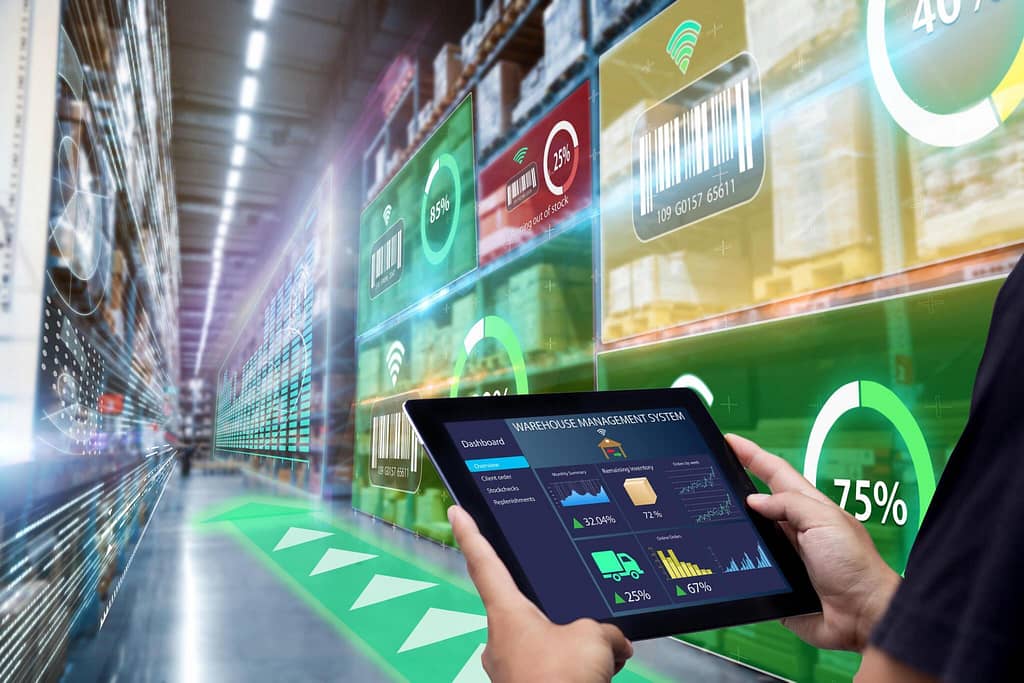
Optimizing Logistics and Dispatch in Odoo 19.0 Warehouse The landscape of logistics is shifting. For trading and distribution firms in Malaysia and across the globe, the pressure to deliver faster, cheaper, and with 100% accuracy has never been higher. With the release of Odoo 19.0, the ERP giant has introduced revolutionary features that transform the warehouse from a cost center into a competitive advantage. By focusing on Smart Warehouse Management, Odoo 19.0 integrates cutting-edge hardware support with intelligent software logic. In this article, we explore how the new RFID setup and Dispatch Management System can revolutionize your operations. The Evolution of Smart Warehouse Management in Odoo 19.0 Smart Warehouse Management is no longer a futuristic concept—it is a necessity. In previous versions, warehouse operations relied heavily on manual barcode scanning. While effective, these methods are prone to “the human tax”: fatigue, missed scans, and slow processing times. Odoo 19.0 addresses these pain points by introducing automation at the hardware level. The goal is to create a “frictionless” warehouse where goods move through the facility with minimal manual data entry, tracked by invisible digital threads. 1. Revolutionary RFID Integration: The End of Manual Scanning The standout feature of Odoo 19.0’s Smart Warehouse Management is the native RFID (Radio Frequency Identification) setup. Unlike traditional barcodes that require a line-of-sight scan, RFID allows for bulk processing. Bulk Receiving and Instant Validation Imagine a pallet of 500 individual items arriving at your dock. Traditionally, a worker would need to scan each item. With Odoo 19.0’s RFID integration: Gate Readers: RFID gates automatically detect every tagged item as the pallet passes through the bay door. Instant Reconciling: Odoo compares tags against the Purchase Order (PO) instantly. Zero-Touch Logging: Inventory levels update in real-time without touching a scanner. Pro-Tip for Malaysian Firms Malaysia’s strategic position as a shipping hub requires local firms to be agile. Using RFID reduces the “detention and demurrage” costs by speeding up the turnaround of delivery trucks. 2. Advanced Dispatch Management System In Odoo 19.0, the Dispatch Management System has been completely overhauled to bridge the gap between the warehouse floor and the delivery truck. For distribution firms, the “last mile” is often the most expensive; Odoo 19.0 aims to slash these costs. Smart Batch and Wave Picking Odoo 19.0 uses AI-driven logic to group orders. The system analyzes: Delivery Deadlines: Prioritizing urgent shipments automatically. Warehouse Zones: Grouping items located in the same aisle to reduce travel time for pickers. Carrier Constraints: Matching orders to specific truck capacities. 3. Optimizing the “Pick-Pack-Ship” Workflow To achieve true Smart Warehouse Management, the internal flow must be lean. Odoo 19.0 introduces several refinements to the standard logistics routes. Automated Packaging Suggestions Odoo 19.0 can now suggest the most efficient packaging size based on product dimensions and weight. This “Cubing” logic ensures: Reduced Shipping Costs: Avoid “dim-weight” penalties from carriers. Sustainability: Lowered carbon footprint by using less packaging material. Speed: Workers no longer “guess” which box to use, reducing packing station bottlenecks. 4. Enhanced Cross-Docking for Distribution Firms For many distribution businesses, the goal is to keep stock in the warehouse for as little time as possible. Odoo 19.0’s Cross-Docking capabilities have been refined to support high-velocity environments. When goods arrive at the “Input” dock that are already promised to a customer, Odoo 19.0 bypasses the “Put-away” logic. Instead, the system directs the worker to move the goods immediately to the “Output” zone. This reduces handling costs and speeds up the fulfillment cycle significantly. 5. Data-Driven Logistics with Odoo 19.0 Analytics You cannot optimize what you cannot measure. Odoo 19.0’s integration with the Spreadsheet (BI) module provides deeper insights into warehouse performance. Key Performance Indicator (KPI) Value for Distribution Firms Order Lead Time Measures total time from order placement to dispatch. Picking Accuracy Nearly 100% with RFID implementation. Inventory Turnover Identifies “dead stock” taking up valuable shelf space. Warehouse Utilization Optimizes rack space for high-velocity items. 6. Implementing Odoo 19.0 in the Malaysian Context At UseOdoo, we understand the unique challenges faced by Malaysian SMEs. Implementing a Smart Warehouse Management system requires a strategic alignment of hardware and software. Odoo 19.0’s open API allows for seamless integration with local Malaysian logistics providers like NinjaVan, DHL Malaysia, and J&T Express. This ensures that tracking numbers are automatically generated and sent to customers the moment the RFID gate registers a dispatch. Transform Your Warehouse Today Ready to upgrade to Odoo 19.0 and implement a smarter way to manage your logistics? Get a Free Demo & Consultation At UseOdoo, we specialize in tailoring Odoo to meet the specific needs of Malaysian distributors.

e-invoicing

Simplifying LHDN e-Invoicing with Odoo 19.0 EDI

Simplifying LHDN e-Invoicing with Odoo 19.0 EDI Smart Compliance: Simplifying LHDN e-Invoicing with Odoo 19.0 EDI Identifying the right LHDN e-Invoicing Odoo features is critical for Malaysian SMEs looking to scale. As of January 2026, the digital landscape for Malaysian businesses has reached a critical turning point. The phased rollout of the Inland Revenue Board of Malaysia (LHDN) mandate is now in full swing, impacting companies across every sector. For many business owners and clerical teams handling collections, the focus has shifted from “when will this happen?” to “how can we make this easier?”. The solution isn’t just about meeting a legal requirement; it’s about finding a way to do so without adding hours of manual labor to your already busy schedule. By leveraging the latest Electronic Data Interchange (EDI) features in Odoo 19.0, Malaysian SMEs can turn a complex compliance burden into a streamlined, automated process that works in the background. In this guide, we will break down exactly how Odoo 19.0 simplifies the MyInvois journey, ensuring your company remains audit-ready while you focus on reaching your 2026 growth goals. Understanding the 2026 LHDN Mandate in Simple Terms For those handling daily clerical and marketing tasks, LHDN e-invoicing might seem like a technical wall. In simple terms, LHDN now requires every transaction—from B2B invoices to consumer receipts—to be validated by their “MyInvois” portal in real-time. This means before you send an invoice to your customer, it must first be “approved” by the government and issued a unique identification number and a QR code. If your company is scheduled for implementation this year, the risk of manual entry is high. Typing data into a government portal for every single sale is slow, prone to typos, and frankly, a waste of your team’s talent. LHDN e-Invoicing Odoo 19.0 EDI solves this by creating a direct, automated bridge between your sales records and the MyInvois portal. Why Odoo 19.0 EDI is the “Secret Weapon” for Compliance Odoo 19.0 has introduced several essential features in its Finance and Accounting modules specifically designed for international and local fiscal localizations, including Malaysia. The core of this power is “EDI” (Electronic Data Interchange). 1. Native Malaysia Localization Odoo 19.0 includes a specialized “Fiscal Localization” package for Malaysia. This isn’t a generic template; it is built with the specific Chart of Accounts, tax units, and withholding tax requirements needed for Malaysian SMEs. It ensures your digital “footprint” matches what LHDN expects to see. 2. Automated “MyInvois” API Connection The EDI engine in Odoo 19.0 connects directly to the LHDN API. When you click “Validate” on an invoice in Odoo, the system automatically sends the JSON data to LHDN, receives the validation back, and attaches the government’s unique ID—all in seconds. There is no need to leave the Odoo screen. 3. Intelligent Error Handling One of the most frustrating parts of manual submission is having an invoice rejected because of a small error like a missing TIN (Tax Identification Number). Odoo 19.0’s data cleaning and validation tools highlight these gaps before you hit submit, preventing the headache of rejected filings. 5 Steps to a Stress-Free e-Invoicing Workflow Implementing LHDN e-Invoicing Odoo 19.0 EDI doesn’t have to be a months-long project. By following a structured path, you can be up and running quickly. Step Action Item Odoo 19.0 Feature Used 1 Clean Up Partner Data Data Cleaning & Merge Contacts 2 Set Up Malaysia Localization Fiscal Localizations: Malaysia 3 Connect to LHDN API Electronic Invoicing (EDI) 4 Automate Invoicing Policy Invoicing Policies & EDI Workflows 5 Generate QR-Enabled PDFs QWeb Reports & PDF Builder By automating these steps, your clerical team can focus on their primary roles—like managing collections or advertising—instead of becoming data entry clerks for the tax office. Beyond Compliance: Using Odoo 19.0 to Grow Your Business While the focus is on LHDN, the transition to LHDN e-Invoicing Odoo 19.0 EDI brings secondary benefits that help you reach your personal and professional goals, such as increasing your monthly income through higher efficiency. Improved Cash Flow Management With automated EDI, invoices reach your customers faster. Combined with Odoo’s “Follow-up on Invoices” and “Online Payments” (supporting providers like Stripe or Razorpay), you can significantly reduce your Days Sales Outstanding (DSO). Faster payments mean a healthier bank balance for your business. AI-Driven Productivity Odoo 19.0 introduces AI agents and server actions that can handle document digitization. If you receive vendor bills, the AI can “read” them and draft the entry in Odoo, ensuring your expenses are as organized as your revenue. This frees up time for you to focus on high-value tasks like web design or SEO optimization. Leveraging Key LHDN e-Invoicing Odoo Features for Trading Companies The gap between “surviving” and “thriving” in the trading industry often comes down to your systems. While legacy ERPs are expensive and clunky, modern cloud solutions like Odoo offer these enterprise-grade LHDN e-Invoicing Odoo features at a price point that makes sense for Malaysian SMEs. Don’t wait until the e-Invoicing mandate hits to upgrade your operations. Start building a future-proof business today. Simplify Your LHDN Journey Today Facing a 2026 e-Invoicing deadline? Don’t let compliance slow down your business growth. At UseOdoo, we specialize in helping Malaysian SMEs implement the latest Odoo 19.0 features to automate their accounting and tax filings. Contact our team today for a free Odoo 19.0 demo. Let us show you how easy compliance can be when you have the right digital partner.

Optimize Operations: Exploring 15 Odoo Inventory’s Dynamic Features

Optimize Operations: Exploring Odoo Inventory’s Dynamic Features Efficient business operations hinge on effective inventory management, and Odoo Inventory emerges as a pivotal solution. From product tracking to warehouse management, the impact of a well-designed inventory management system is undeniable. Odoo Inventory stands out as a powerful solution, providing a rich array of features and benefits that significantly enhance business efficiency and productivity. Distinguishing itself in the realm of Inventory Management Systems (IMS), Odoo encompasses the entire spectrum of inventory management processes, encompassing stock levels, order processing, and replenishment. This holistic approach ensures a comprehensive and seamless control over your company’s inventory. What is Odoo Inventory? Odoo Inventory, a part of the Odoo ERP suite, is a comprehensive tool designed to handle all aspects of inventory management seamlessly. It serves as a centralized hub for businesses to oversee their inventory, from tracking stock levels to managing multiple warehouses across various locations. Before diving into Odoo Inventory’s features and benefits, it’s crucial to understand the fundamentals of inventory management systems. These systems are pivotal for businesses, enabling them to optimize stock levels, reduce costs, and improve overall operational efficiency. Key Features of Odoo Inventory Real-time Inventory Tracking One of the standout features of Odoo Inventory is its ability to provide real-time tracking of inventory levels. This feature allows businesses to have a dynamic view of their stock, reducing the risk of stockouts or overstocking. Warehouse Management Odoo Inventory offers robust warehouse management capabilities, allowing businesses to efficiently organize, locate, and manage their inventory within different warehouse settings. Batch and Serial Number Tracking Odoo Inventory provides comprehensive batch and serial number tracking, enabling traceability throughout the supply chain. This feature is particularly valuable in industries requiring strict adherence to product origins and expiry dates. Advanced Reporting and Analytics Odoo Inventory offers robust reporting tools that provide detailed insights into inventory movement, stock levels, and performance metrics. Advanced analytics help businesses make informed decisions and optimize their inventory management strategies. Automated Reordering and Forecasting The system’s intelligent algorithms enable automated reordering based on preset minimum stock levels, ensuring timely replenishment of inventory. Additionally, predictive forecasting tools help businesses anticipate demand fluctuations and plan inventory accordingly. Multi-Warehouse Management For businesses with multiple locations or warehouses, Odoo Inventory excels in managing and synchronizing inventory across various sites. It allows for seamless transfer of stock between warehouses, optimizing distribution and minimizing stock imbalances. Barcode and RFID Integration Efficient inventory tracking becomes effortless with the integration of barcode and RFID technologies. Odoo Inventory supports these functionalities, enhancing accuracy in stock management, picking, and packing processes. Cross-Docking Capabilities The system facilitates cross-docking, a logistics strategy where incoming goods are directly transferred from receiving to outbound shipping, bypassing the need for storage. This feature streamlines operations, reducing handling time and storage costs. Quality Control Checks Businesses can define quality control checkpoints within the system to ensure that products meet specified standards before being dispatched. This feature contributes to maintaining product quality and customer satisfaction. Integration with Other Business Modules As part of the Odoo ERP suite, Odoo Inventory seamlessly integrates with other modules such as sales, purchase, accounting, and manufacturing. This integration allows for a unified and synchronized approach to business management. Customizable Workflows Businesses can tailor workflows within Odoo Inventory to align with their specific operational needs. This customization flexibility ensures that the system adapts to unique business processes and requirements. Mobile Accessibility With a responsive and user-friendly mobile interface, Odoo Inventory empowers users to access and manage inventory data on the go. This mobile accessibility enhances flexibility and responsiveness in inventory management tasks. Audit Trail and Security Features The system maintains an audit trail, recording all inventory-related transactions and modifications. Robust security measures, including user access controls and data encryption, safeguard sensitive inventory information. Continuous Updates and Support Odoo consistently updates its software, providing users with new features, improvements, and bug fixes. The platform also offers comprehensive support, ensuring users have access to assistance and guidance when needed. Integration Capabilities Odoo Inventory seamlessly integrates with other modules within the Odoo ERP suite, enabling a holistic approach to business management. Benefits of Using Odoo Inventory 1. Integration Capabilities Implementing Odoo Inventory leads to streamlined processes, reducing manual efforts and increasing operational efficiency. 2. Cost Reduction By optimizing inventory levels and minimizing stock discrepancies, businesses can significantly reduce carrying costs. 3. Enhanced Accuracy The accuracy of inventory data is crucial for making informed business decisions, and Odoo Inventory ensures precise and up-to-date information. 4. Streamlined Operations The cohesive nature of Odoo Inventory simplifies operations, leading to smoother workflows and better resource utilization. Odoo Inventory stands out as a comprehensive solution offering robust features for efficient inventory management. From real-time tracking to streamlined operations, its intuitive design enhances productivity. With benefits like improved accuracy, reduced costs, and increased transparency, Odoo Inventory empowers businesses to optimize their supply chain. Experience the transformative power of our inventory management system – explore our product page now for a closer look at how Odoo Inventory can elevate your business operations.  Get ready to boost your online business? learn more

Scroll to Top